HTML Report
An HTML report can be generated from a Linty scan or from VS Code.
It includes dynamic graphs that help you understand the design, pinpoint issues, and debug it. Topics include design hierarchy, block diagrams, clock domain crossings (CDC), reset domain crossings (RDC), finite state machines (FSM), and more.
Explore the demo report.
Generate the report
Set the sonar.hdl.report.enabled property to true to generate the HTML report. Generate it on demand, or on a long-lived Git branch such as main. In VS Code, the report is generated automatically, regardless of this property.
Browse
Once the Linty scan has completed, start a simple web server (for example with Python) to browse the report:
cd ${PROJECT_DIRECTORY}/.linty/work/report/build/html/
python3 -m http.server 8001
Open the report at http://localhost:8001
Automate deployment
On GitHub Pages
The following workflow deploys the report to GitHub Pages on every push to the main branch.
name: Deploy Linty HTML Report on GitHub Pages

on:
  push:
    branches: ["main"]

jobs:
  build:
    runs-on: ubuntu-latest
    steps:
      - name: Git Checkout
        uses: actions/checkout@v7

      - name: Run Linty Scan
        run: |
          # Replace with your current Docker command to run a Linty analysis
          docker run ...

      - name: Upload Website Artifact
        uses: actions/upload-pages-artifact@v3
        with:
          path: .linty/work/report/build/html

  deploy:
    environment:
      name: github-pages
      url: ${{ steps.deployment.outputs.page_url }}
    permissions:
      contents: read
      pages: write
      id-token: write
    runs-on: ubuntu-latest
    needs: build
    steps:
      - name: Deploy to GitHub Pages
        id: deployment
        uses: actions/deploy-pages@v4
See also the official GitHub Pages documentation.
When the report is published on a project site (for example https://my_org.github.io/my_repo) rather than a user or organization site, set sonar.hdl.report.urlPath to my_repo so that URLs in the report resolve correctly.
docker run \
   ...
    lintyservices/linty-scanner:latest -Dsonar.hdl.report.urlPath="my_repo"
Where do descriptions come from?
Line and block comments that start with ! are included in the report.
For example:
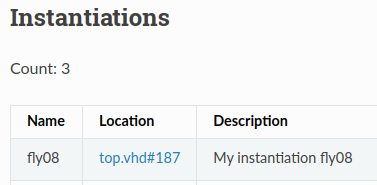
--! My instantiation fly08
fly08: fly
generic map (
  FLY_GENERIC => '1'
)
port map (
  ...
The report then shows:
Advanced settings
Omit source code for confidentiality
Depending on the audience, you may want to leave source code out of the report. Set sonar.hdl.report.includeSourceCode to false.
Include coding quality measures and issues
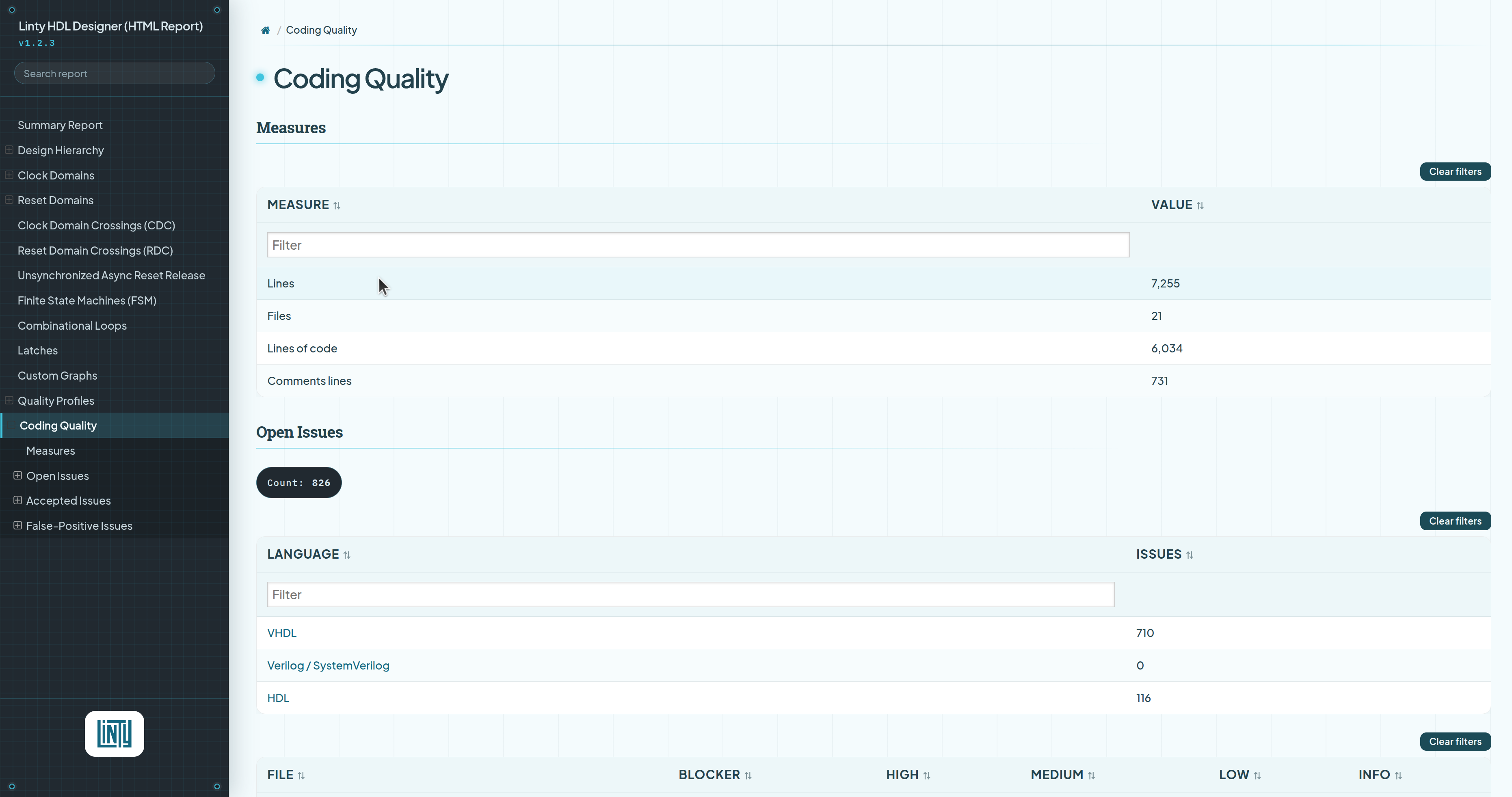
To include coding quality measures, issues, or quality profile details in the report, run linty-scanner with the coding-quality parameter:
docker run \
    ...
    lintyservices/linty-scanner:latest coding-quality -Dproject.settings=".linty/linty.properties" ...
Notes:
Measures, issues, and profile details are easier to browse in the Linty web interface. Use this mode when you need to hand the report to an auditor who cannot access the Linty platform, or when you need an archive.
This mode also generates a PDF report that includes coding quality measures, issues, and quality profile details.
Custom graphs
You can add custom logic-circuit graphs to the report to highlight parts of the design, such as the incoming or outgoing cone of a signal, or the combinational logic between two flip-flops.
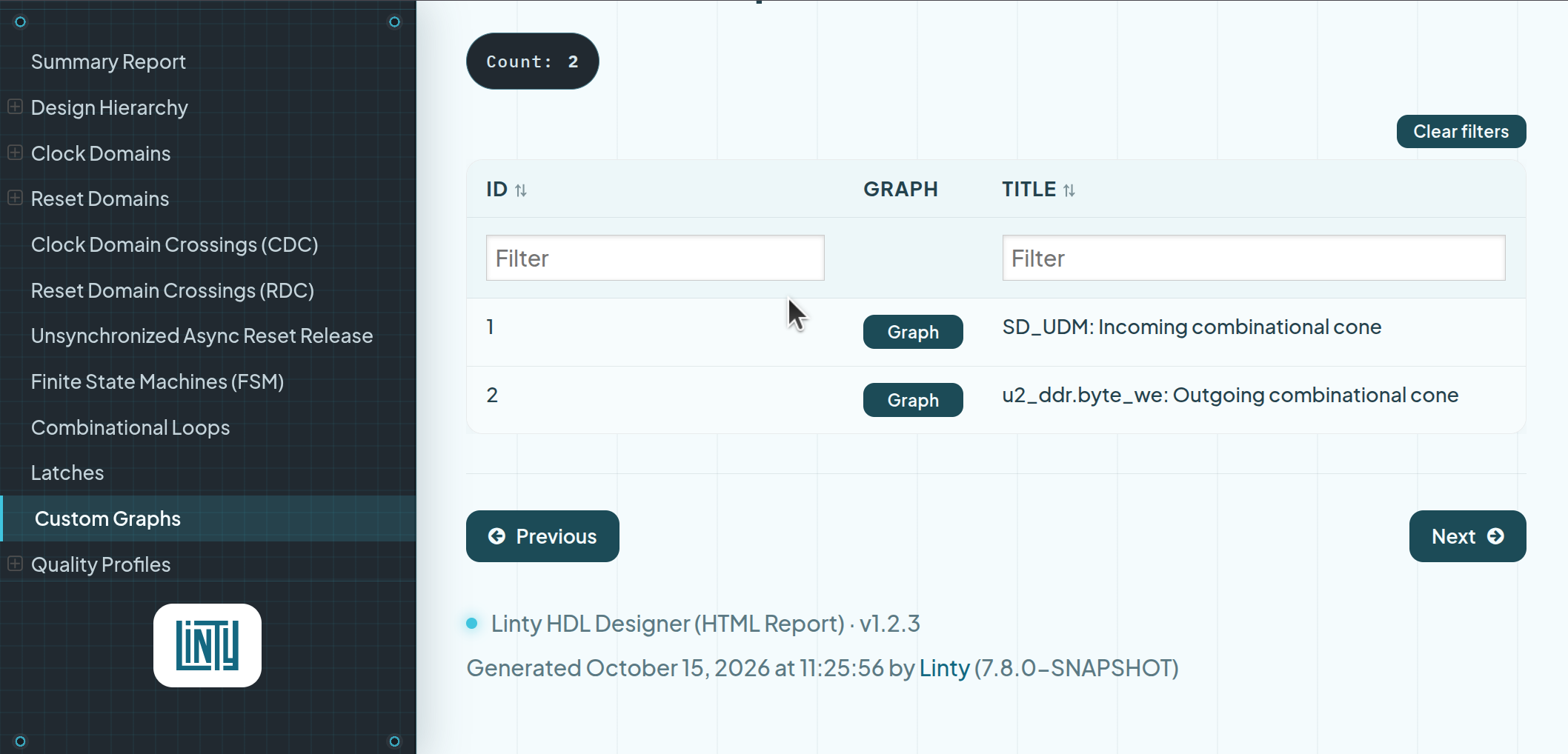
Create a .linty/custom_graphs.json configuration file. In VS Code, generate this file from the Linty view: Report > Generate/Open Custom Graphs JSON File. See the Linty HDL Designer extension page for details.
[
  {
    "id": "1",
    "title": "SD_UDM: Incoming combinational cone",
    "command": "select o:SD_UDM %cie*;"
  },
  {
    "id": "2",
    "title": "u2_ddr.byte_we: Outgoing combinational cone",
    "command": "select w:u2_ddr.byte_we_reg2 %coe*;"
  }
]